
ABOUT THE GAME
Why Snow Rider 3D Grows Harder With Every Section
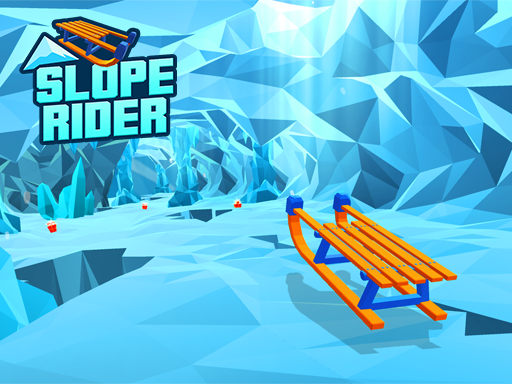
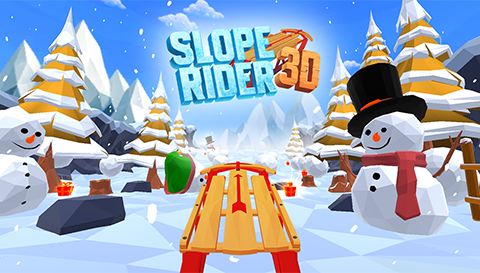
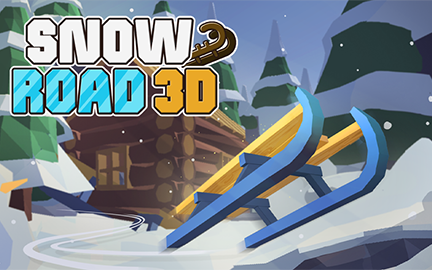
Play Snow Rider 3D online for free — a sled ride down an endless mountain that gets harder the further you go. Your sled accelerates on its own through the snow: steer left and right to dodge trees, rocks and snowmen, jump the logs and rolling snowballs with the up arrow, and take the ramps for big air. The speed and the obstacle density grow with distance, so every clean section is a promise of a harder one.
QUICK FACTS
- Category
- Slope Runner
- Plays on
- Desktop & mobile
- Control
- Arrow keys or touch
- Orientation
- Landscape
- Developer
- Not specified
HOW IT PLAYS
The Steer-and-Jump Loop That Runs Snow Rider 3D
Steer, jump, survive
Trees and rocks want steering, logs and snowballs want jumps, and the mountain mixes them at rising speed.
Ride the organic difficulty
Speed and density grow together, so the mountain gets harder exactly as fast as the run gets longer.
Take the ramps for the gaps
A clean launch clears the moving-obstacle fields, turning the speed into the survival tool.
CONTROLS
Control
Arrow keys or touch
QUICK TIPS
- Read the moving obstacles first — the rolling snowballs and logs change the line, while the trees and rocks stay put.
- Use the ramps for the gaps; a clean launch clears the rolling snowball fields that lane-switching cannot.
- Lead the turns earlier as the speed climbs; the density grows with distance, so the read has to grow with it.
Why Snow Rider 3D Grows Harder With Every Section
Snow Rider 3D is the snow-run classic: a sled, a mountain and no brake. The sled builds speed endlessly and the mountain throws trees, rocks, snowmen, logs and rolling snowballs at it, so the run is a constant read-and-react against the snow. The speed and density grow together, which makes the difficulty organic — the mountain gets harder exactly as fast as the run gets longer.
The Steer-and-Jump Loop That Runs Snow Rider 3D
The loop is steer, jump, survive. Left and right hold the line between the trees and rocks, the up arrow clears the logs and rolling snowballs, and the ramps turn the speed into air. The obstacle mix keeps the read varied, and the density climbs with distance until the same gaps that felt easy at the start are tight at speed. One hit ends the run, and the score is how far the sled survived the mountain.
Snow Rider 3D Controls, Explained
| Action | Input |
|---|---|
| Control | Arrow keys or touch |
Left and right arrows or A and D steer the sled; the up arrow or W jumps. The sled accelerates on its own with no brake, so steering and jump timing are the inputs.
Snow Rider 3D Tips: Read the Movers, Use the Ramps
- Read the moving obstacles first — the rolling snowballs and logs change the line, while the trees and rocks stay put.
- Use the ramps for the gaps; a clean launch clears the rolling snowball fields that lane-switching cannot.
- Lead the turns earlier as the speed climbs; the density grows with distance, so the read has to grow with it.
Getting the Most Out of Snow Rider 3d
Ending a Snow Rider 3d session is easiest when you have a clear signal that you improved. That could be a better score, a section you finally cleared, or simply a run that felt smoother. That evidence is what makes the next session inviting, and it is the quiet contract the game keeps with you run after run.
FAQ
Common questions about Snow Rider 3D
How do I play Snow Rider 3D?+
Ride a sled down an endless mountain, steering around trees, rocks and snowmen and jumping logs and rolling snowballs with the up arrow. One hit ends the run.
How does the difficulty work in Snow Rider 3D?+
The speed and the obstacle density grow with distance, so the mountain gets harder as the run gets longer. Every clean section is a promise of a harder one.
What controls does Snow Rider 3D use?+
Left and right arrows or A and D steer, and the up arrow or W jumps. The sled accelerates on its own with no brake.