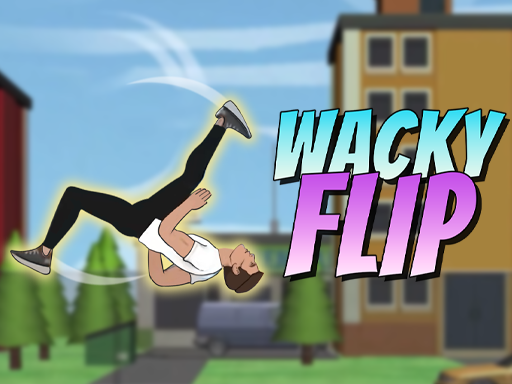


ABOUT THE GAME
Why Flip Spot Turns the Course Into Challenges
Play Flip Spot online for free — a flipper on spot challenges where each spot is the test. Your flipper faces a series of marked spots, and every one is a different flip problem: read the spot, time the flip and land it clean before moving on. Mouse or keys flip, and a missed spot sends the run back. The spots get trickier as the challenge climbs, so the reads stay fresh.
QUICK FACTS
- Category
- Arcade
- Platform
- Browser (PC & mobile)
- Control
- Mouse click or touch
- Orientation
- Landscape
- Developer
- Not specified
HOW IT PLAYS
The Spot-to-Spot Loop That Runs Flip Spot
Spot, flip, pass
The challenge chain is built on the passes, and every spot is a fresh flip read.
Adapt to the geometry
The spot that worked last does not fit this one, so the adaptation is the skill.
Climb the trickier spots
The challenge gets harder as it climbs, so the reads have to stay calmer and cleaner.
CONTROLS
Control
Mouse click or touch
QUICK TIPS
- Read the spot before flipping — each one has its own geometry, and the flip that passed the last spot rarely fits this one.
- Land clean before moving on; the challenge chain is built on the passes, so a rushed spot is a reset.
- Watch the trickier spots for the extra beat; the climb is the difficulty, and the harder spots want the calmer read.
Why Flip Spot Turns the Course Into Challenges
Flip Spot is the flipper genre built around discrete challenges. Instead of one endless course, the game presents a chain of marked spots, each with its own flip geometry — so the skill is reading each spot, timing the flip to its setup and landing clean to progress. The loop is spot, flip, pass, and the challenge structure is the difficulty curve.
The Spot-to-Spot Loop That Runs Flip Spot
The loop is read the spot, time the flip, land it. Each spot presents a different flip problem, so the timing and the launch are a fresh read every time — the spot that worked last does not help the next one. Landing clean passes the spot and moves the challenge on; a missed landing sends the run back. The spots get trickier as the challenge climbs.
Flip Spot Controls, Explained
| Action | Input |
|---|---|
| Control | Mouse click or touch |
Mouse or keys flip. Every spot is a fresh flip problem, so the input is the read of the current spot’s timing.
Flip Spot Tips: Read Each Spot, Land Clean to Pass
- Read the spot before flipping — each one has its own geometry, and the flip that passed the last spot rarely fits this one.
- Land clean before moving on; the challenge chain is built on the passes, so a rushed spot is a reset.
- Watch the trickier spots for the extra beat; the climb is the difficulty, and the harder spots want the calmer read.
Getting the Most Out of Flip Spot
The way to get the most out of Flip Spot is to play it the way it was designed: in short, focused arcade rounds with a clear goal each time. Pick a target — a score, a distance, a clean run — and chase it until it falls. Then set the next one. That is the whole loop, and it is remarkably durable. When you are ready to stretch your legs, the rest of the GameDapple library is one click away.
FAQ
Common questions about Flip Spot
How do I play Flip Spot?+
Flip through a chain of marked spots, each a different flip problem: read the spot, time the flip and land clean to pass it. A missed spot sends the run back.
What is the goal in Flip Spot?+
Pass the chain of spots. Each one is a fresh geometry read, so the challenge is the adaptation from spot to spot.
What controls does Flip Spot use?+
Mouse or keys flip. The input is the read of the current spot, and every spot changes the timing.