
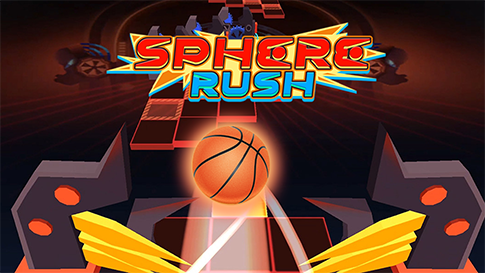
ABOUT THE GAME
Why Turbo Flip Turns the Pace Into the Challenge
Play Turbo Flip online for free — a turbo-charged flipper where the speed is the challenge. Your flipper launches across turbo courses, and the game is the pace: the launches come fast and the landings are tight, so the timing has to stay ahead of the speed. Mouse or keys flip, and one mistimed landing ends the run. The turbo label is the promise — the course never slows down.
QUICK FACTS
- Category
- Arcade
- Platform
- Browser (PC & mobile)
- Control
- Mouse click or touch
- Orientation
- Landscape
- Developer
- Not specified
HOW IT PLAYS
The Fast-Launch Loop That Runs Turbo Flip
Launch, land, keep pace
The turbo course feeds the launches at speed, so the timing has to stay ahead of the run.
Land and move on
A slow landing is a landing the next launch interrupts, so the clean fast landing is the chain.
Hold the turbo rhythm
The pace tightens with distance, so the score is how far the run holds the fast rhythm.
CONTROLS
Control
Mouse click or touch
QUICK TIPS
- Land clean and move on — the turbo course feeds the next launch immediately, so a slow landing breaks the chain.
- Read the launches ahead; the pace leaves no reaction time, so the flip decision has to be made before the setup arrives.
- Keep the rhythm fast but controlled; the turbo speed rewards the timing that stays calm under the pace.
Why Turbo Flip Turns the Pace Into the Challenge
Turbo Flip is the flipper genre with the pace turned up. The courses keep the launches coming fast and the landings tight, so the skill is the timing staying ahead of the speed — read the launch, flip, and land clean before the next one is already on top of the run. The loop is launch, land, keep pace, and the speed is the difficulty.
The Fast-Launch Loop That Runs Turbo Flip
The loop is read the fast launch, flip, land clean. The turbo courses feed the flips at pace, so the read and the landing have to happen faster than the course gives them — a landing that takes a beat too long is a landing the next launch interrupts. The score is how far the run held the pace. The speed tightens with distance.
Turbo Flip Controls, Explained
| Action | Input |
|---|---|
| Control | Mouse click or touch |
Mouse or keys flip. The turbo course feeds the launches at pace, so the inputs are the flip timing and the fast landings.
Turbo Flip Tips: Land Clean, Read Ahead of the Pace
- Land clean and move on — the turbo course feeds the next launch immediately, so a slow landing breaks the chain.
- Read the launches ahead; the pace leaves no reaction time, so the flip decision has to be made before the setup arrives.
- Keep the rhythm fast but controlled; the turbo speed rewards the timing that stays calm under the pace.
Getting the Most Out of Turbo Flip
Give Turbo Flip a clean session and it will give one back. Set a modest goal for the next few arcade rounds — a new score, a further distance, a tighter line — and let the game provide the rest. Improvement here is quiet but steady, and steady improvement is what turns a casual visit into a regular one. The library is waiting when you want variety.
FAQ
Common questions about Turbo Flip
How do I play Turbo Flip?+
Flip across turbo courses where the launches come fast: read each setup, land clean and keep the pace. One mistimed landing ends the run.
What makes Turbo Flip different from other flippers?+
The pace. The course never slows down, so the timing has to stay ahead of the speed and the landings have to be fast and clean.
What controls does Turbo Flip use?+
Mouse or keys flip. The turbo course sets the pace, so the flip timing and the fast landings are the inputs.